Homeschool Co-op PE, for the Whole Group
If you organize PE for a homeschool co-op, you can bring your group into the Spatrian beta. Each family gets its own free place and its own record, and you get a co-op to run your sessions from — with the hours landing on every child's own attendance record.
For co-op leaders · beta forming now
What a co-op gets in Spatrian
- One roster, one link. Start a co-op from your own account and invite families with a single link, a QR code, or up to ten email addresses at once. Each parent enrolls their own children; nobody shares a login. Name one co-director to share the running of it, and hand the co-op on when your family moves on.
- Hours on each child's own record. Every co-op session writes to each child's own attendance record, counted against their own state's requirement. Each parent exports their own children's hours for their own evaluator — there is no report containing another family's data.
- Park Day, run from your phone. Build the day's groups and stations, run every round on one clock from the field, and finish it with a register. Each present child's minutes go on their own record, and each family is emailed what was logged for their own children.
- Group totals, never a ranking. Directors see the group's participation and attendance, and a week-by-week view of how many children came to co-op sessions over the term. The roster shows a first name, age band and sessions attended, and nothing more; milestones are counted, not named.
- Classes by age. Split a big co-op into classes, each with its own Park Days. A child falls into a class by their own age band, and you can move one who plays up.
- Safe on the day. Each family gives you one line on allergies, an emergency contact and who may collect each child; only you and your co-director see it. Set an agreement for the term that every family accepts. Sign each child in, and out to a named adult, and the family is emailed who it was. Call a day off or move it, and every family is told why.
- The term’s paperwork. Track dues without handling money: families pay you as they already do, and when you record it they are emailed a receipt. Send one note to every family, and write a line on each child for the term report their family downloads.
- The showcase day. The end-of-term day families come to watch, with a program, an invitation to every family and a head count only you see. Every child who takes part takes part equally.
- Free during the beta. Nothing is sold while the beta runs, so there is no card to give and no group plan to choose. A beta place covers every child in a family, up to the plan's number, as it does for every beta family. Families who take part get six months of Spatrian free once it ends.
What each family is asked: the same as any beta family — add a child, set your state and finish one lesson in the first week, then sign in and log something once a fortnight. The detail is in the Beta Terms.
Put your co-op on the list
Places are offered by hand, a few at a time. Join here as the group's organizer and we will email you when one opens. Each family in your co-op can join the same way.
We send one email to check the address is yours, and nothing else until you click the link in it. After that: an email when a place opens, and three short notes about the free tools while you wait. Every message we ever send can be unsubscribed from in one click.
What each family’s evaluator sees
A co-op shares sessions; the record stays each family’s own. This is what a parent hands their evaluator, in seventy seconds: a logged session, a drill the phone counted, the hours against their state’s line, the portfolio and transcript, and the check on /verify. Real screens on a demo family’s record; no child is in it.
Park Day: the session, from the director’s phone
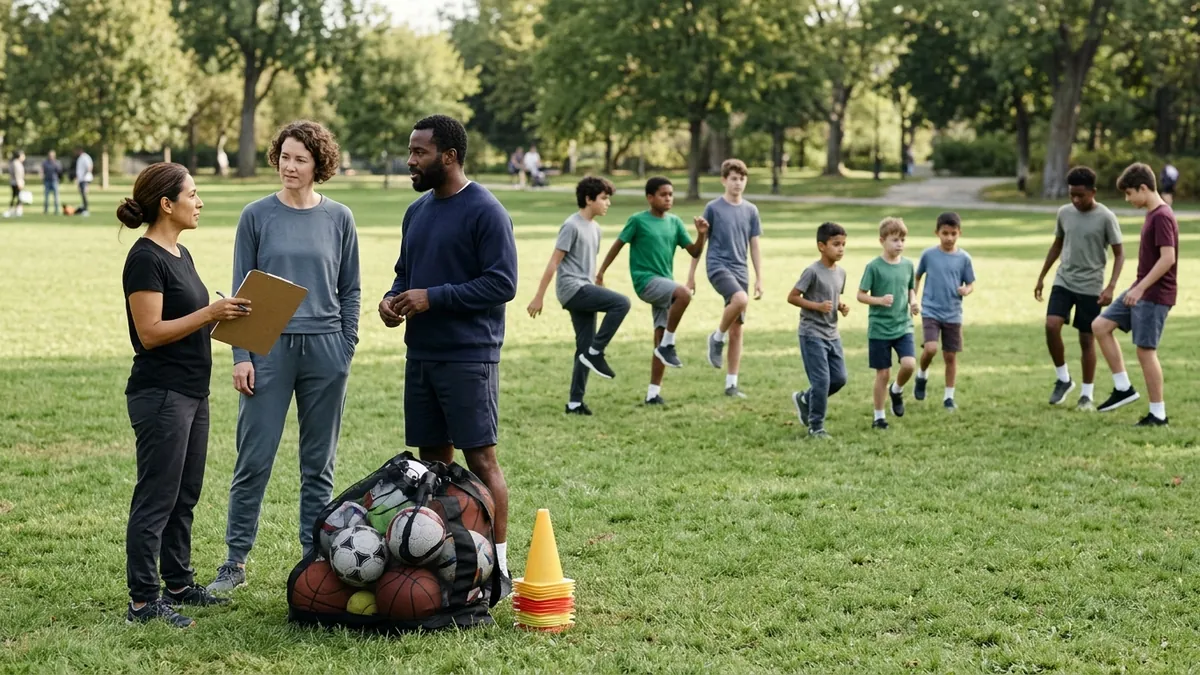
A Park Day is the co-op’s meeting planned and run in Spatrian. The children are split into color groups, every group visits every station once, and the whole field moves on one clock. When it ends, each child who was there has the minutes on their own record, dated that day.
Before the day
Drag children into groups, or split them evenly or by age. Pick stations from seventeen group activities, or a drill a family has shared into the co-op; each station carries a line for younger and for older groups, and the builder says when a child is under an activity’s age. Plan it for me suggests groups, stations and a round length from who is coming, the kit and the ground, and changes nothing until you use it. Copy a plan to next week, or lay out a whole term at once.
Who is coming, and who helps
Each family answers Coming or Can’t make it for their own children. A parent can offer to run a station, and you confirm or assign the rota. Pin one line for every family to read. The day before, each family is emailed the time, the place, what to bring, and which group their children are in, and the Park Day is in each child’s calendar feed.
On the field
Field mode pins the clock to the top of your phone, says the phase in words, and keeps Next round under your thumb; the phone calls time, and a mistaken Next can be taken back within a minute. A second phone or tablet can show the station board: the clock, the round, and where every group should be. Print the Park Day pack beforehand: the groups, the helper rota, a card per station, the kit list and a sign-in sheet (see a sample pack). Where our coaching desk has points for a station’s skills, its card carries the Coach’s eye for the adult running it: what to watch for, and what to say, from coaching points our staff approved.
When it ends
Tick who was there and adjust the minutes on one sheet. Each present child’s stations and minutes are written to their own record, a child marked absent gets nothing, and a retried finish never logs twice. Every family is emailed a receipt naming only their own children, and at the end of term downloads the attendance letter.
The letter each family hands over
After a term of Park Days, every family downloads one letter for their own children: each co-op session by date and activity, the hours, and what their own state asks for. It is built from the minutes the director logged on the day, names nobody from another family, and leaves a line for the director to sign. See a sample letter (PDF), made for an invented family, or browse every sample document. To bring Spatrian to your co-op’s next meeting, print this page on one sheet (PDF).
How it works for a group
1. Join the list
Use the form above. If you would rather tell us about your group first — how many families, how often you meet — send us a note.
2. Start your co-op
Once you have a place, create the co-op from your account with its name and state, set where and when it meets, and invite families by link, QR code or email. The co-op page walks a new director through the first steps.
3. Each family enrolls its own children
A co-op shares sessions and a roster, never a login. Joining adds group hours to what a family already has, and leaving does not take them away.
4. PE together, records at home
Run a Park Day, or log a session by hand, and see the totals in one place. Each family sees what their own children did at co-op, and their Monday summary email carries the co-op's part of the week. Between meetings, the soccer drill library says how many players each drill takes, so you can pick the ones that suit a group, and the practice plan builder turns a squad size, a session length and a focus into one printable session.
Questions co-op leaders ask
How big can a co-op be?
Up to 30 member families and 60 children between them. If your group is larger, tell us and we will work out what fits.
Can a family belong to two co-ops?
No. A family belongs to one co-op at a time, so no account becomes a bridge between two groups' rosters.
Will the co-op see my family's records?
No. Each family's compliance record stays with that family. The co-op sees a first name, an age band and the sessions attended. The one exception is a parent's choice: they can share a single skill clip of a child aged 13 or over with the director, for a note back, for two weeks at most.
Does my state count PE done at co-op?
That depends on the state. The homeschool PE requirements by state guide says what each one asks for, and each child's hours are recorded against their own state's requirement.